
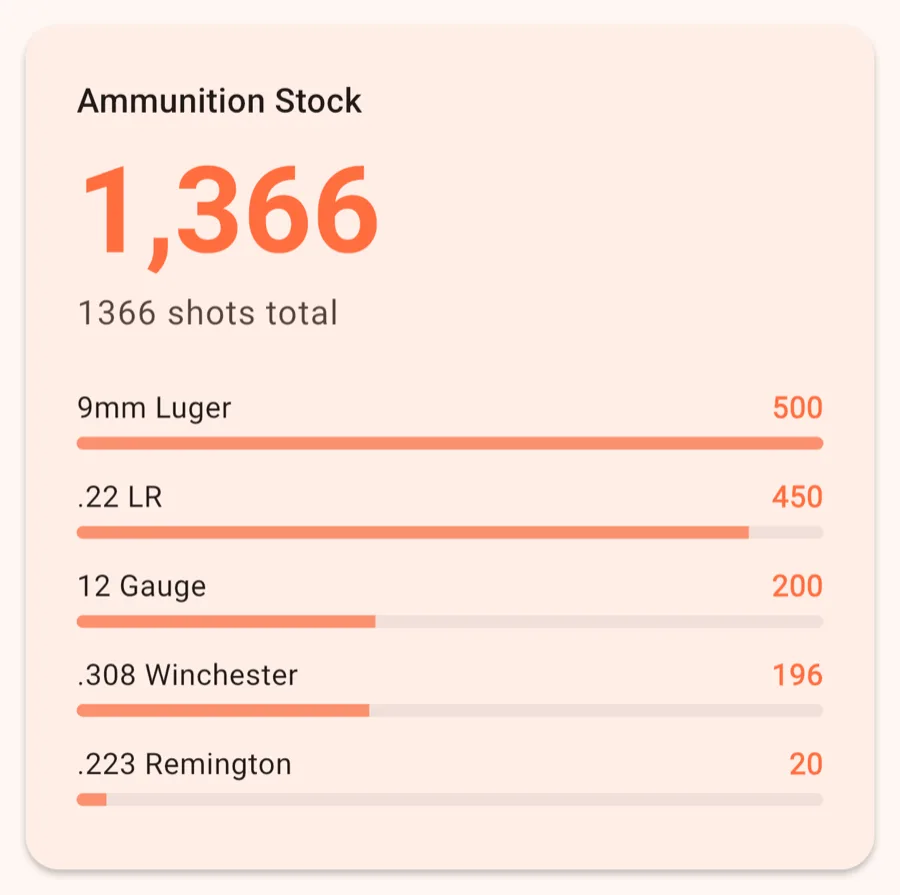
Ammunition Stock
FreeYour total round count, plus a bar per caliber that shows how it's split.
AmmoKeep keeps track of your ammunition: what you have, what you shoot and what it costs. It's made for sport shooters, competitors and hunters and runs on iPhone, iPad and Android.
The free version covers up to 50 entries and 5 calibers. Pro is a one-time purchase that lifts those limits and unlocks all statistics, export and backup.
Everything works offline. No account, no ads, no tracking. Your data stays on your device.
Just want the overview? See all features or what Pro adds.
Two things matter from day one: adding the ammo you own and logging what you shoot. You'll find both as quick actions at the top of the dashboard.
You can edit entries at any time. If you delete a consumption entry, your stock is corrected automatically.
The dashboard is your home screen. At the top are two quick actions: Add Ammunition and Log Consumption.
Below them, a set of cards tells you where your stock stands. These are the cards and what they show:
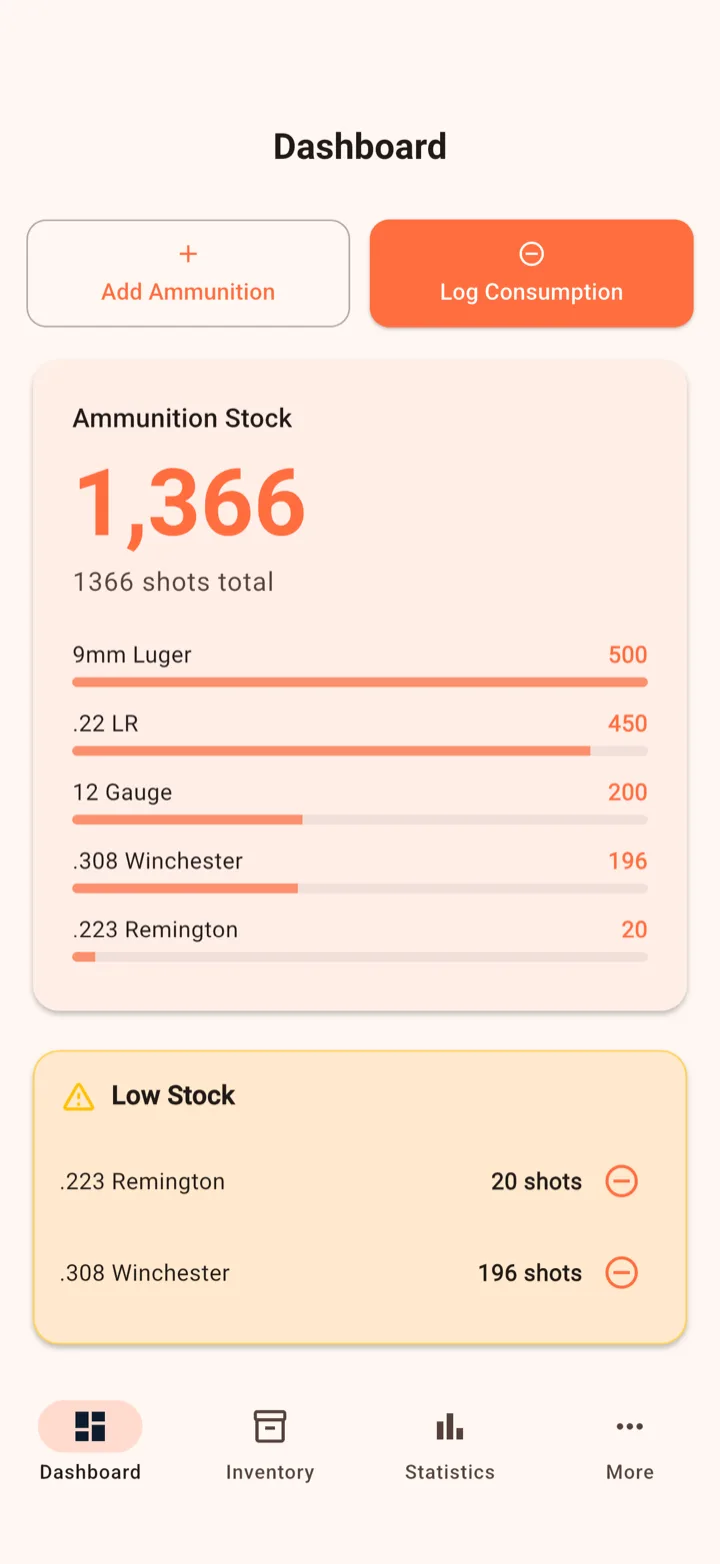
Your total round count, plus a bar per caliber that shows how it's split.
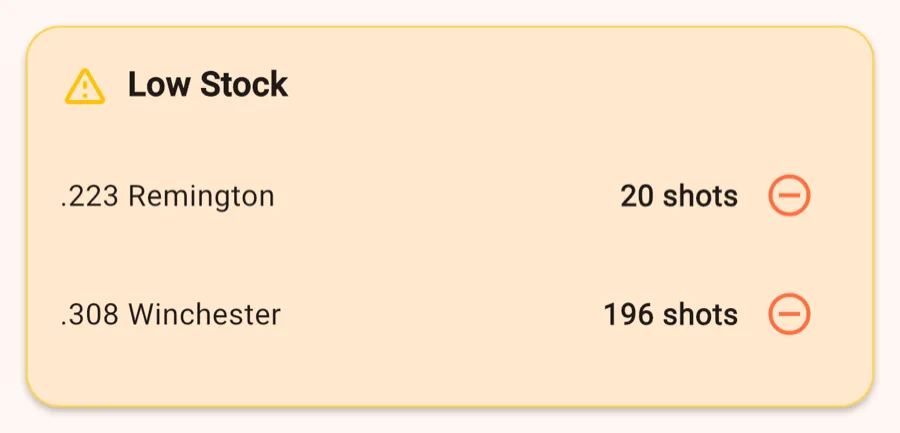
Calibers below your minimum stock, which you set in Settings. A button next to each one takes you straight to logging consumption.
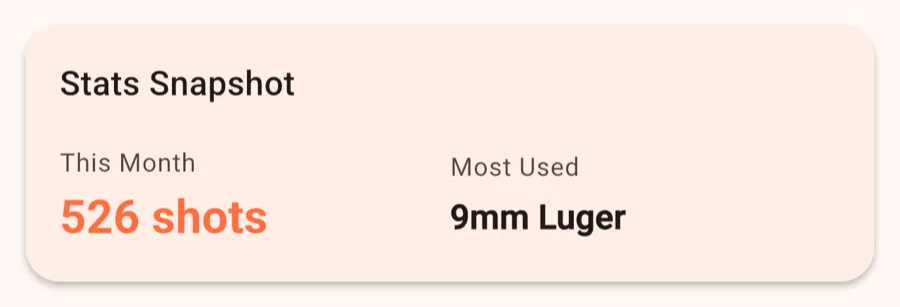
Rounds used this month and your most-used caliber.
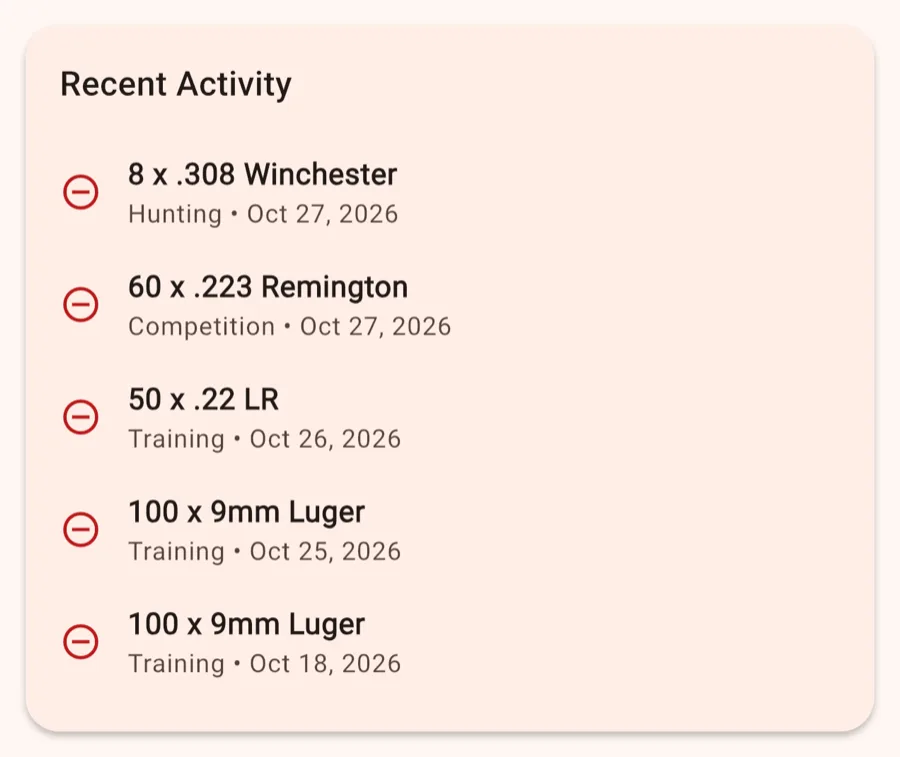
Your latest consumption entries.
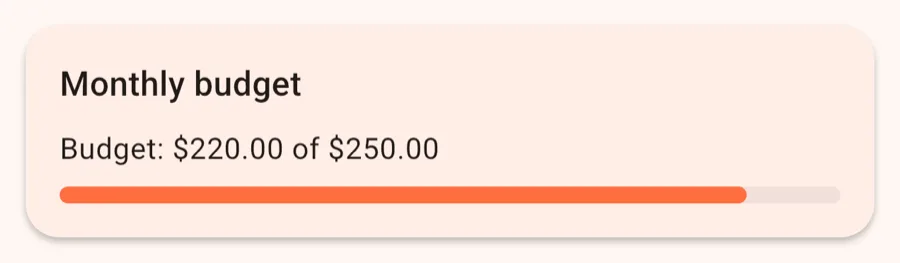
What you've spent this month compared with the monthly budget you set yourself.
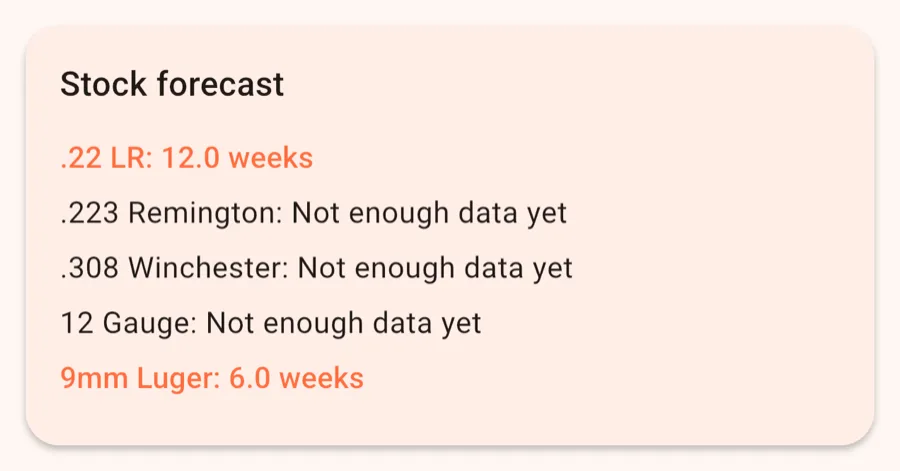
How many weeks your supply of each caliber lasts at your current rate of use.
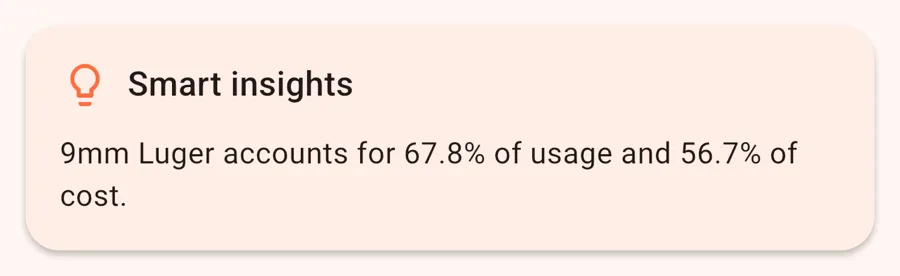
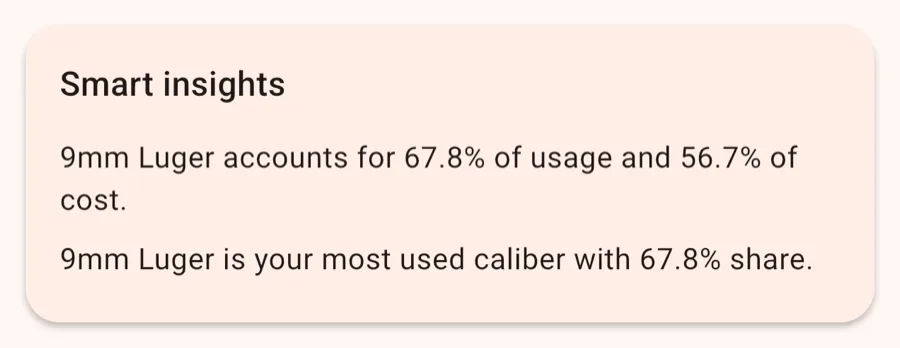
Automatic hints, for example which caliber makes up the biggest share of what you shoot.
Calibers that are below your minimum stock or about to run out, with a suggested amount to buy.
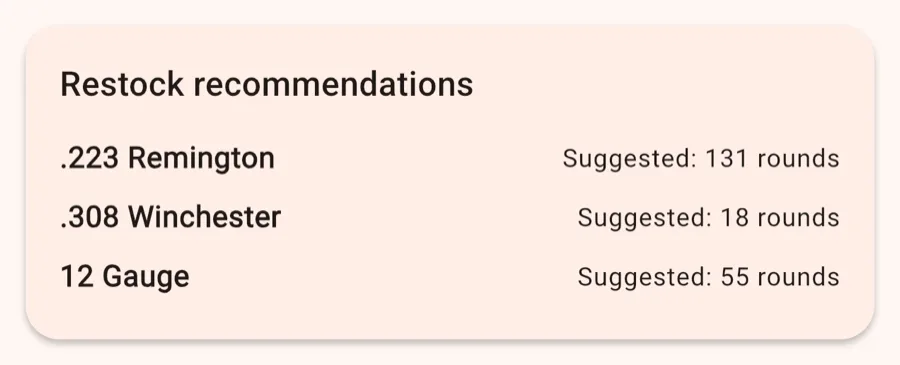
Screenshots show sample data.
The inventory lists every entry you've added, grouped by caliber.
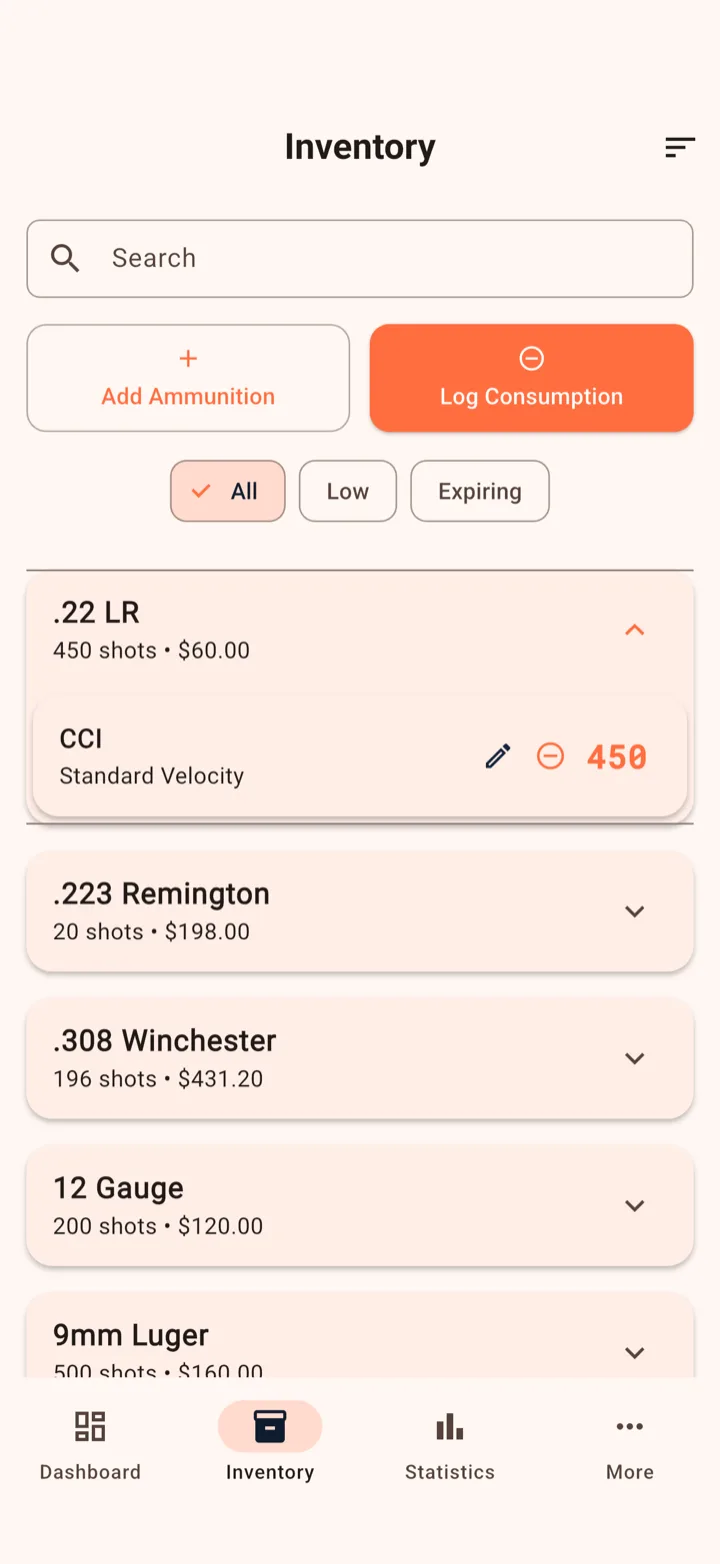
Statistics has three tabs: Overview, Charts and Details. The free version shows the basics. Everything marked Pro needs AmmoKeep Pro.
Your key figures at a glance. A time filter (1M, 3M, 6M, 1Y, All) applies to the spending figures.
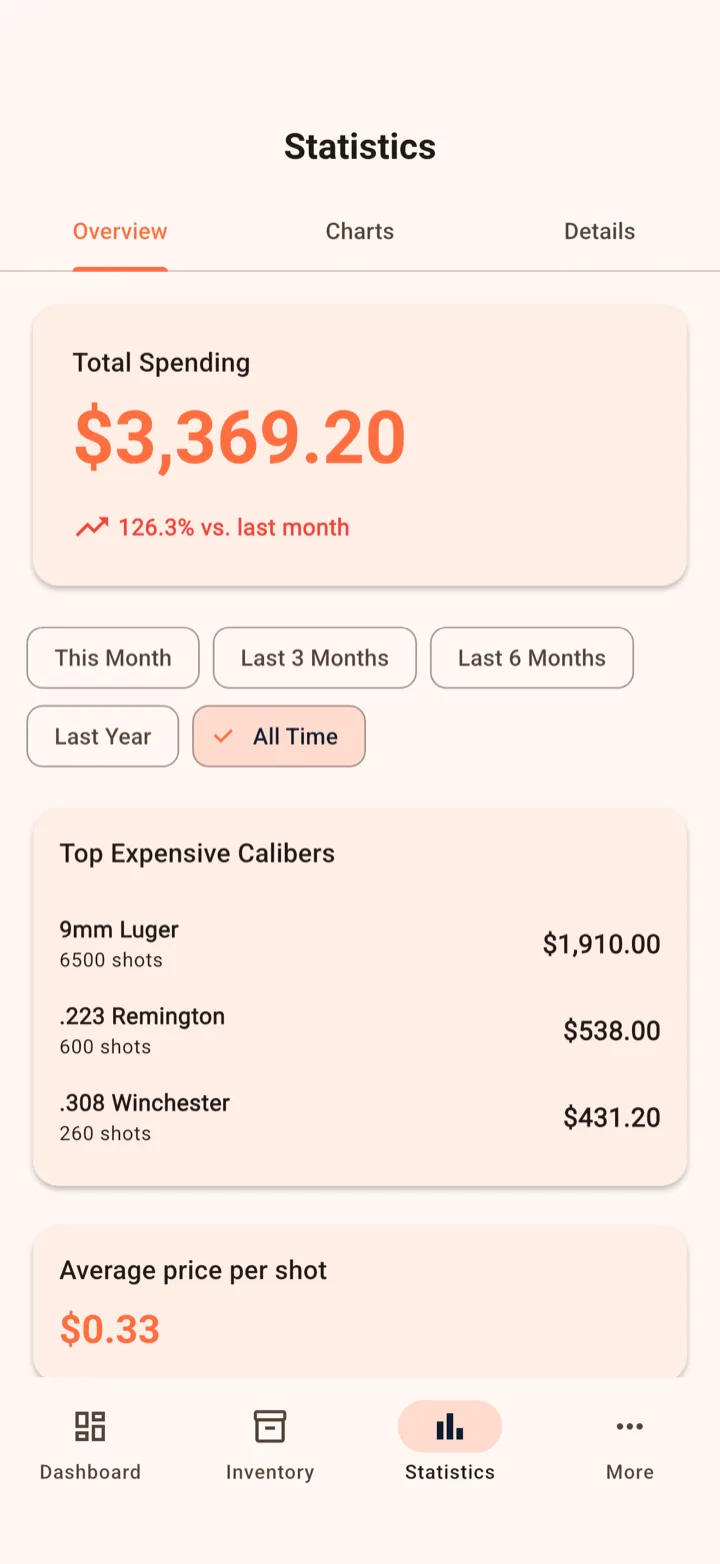
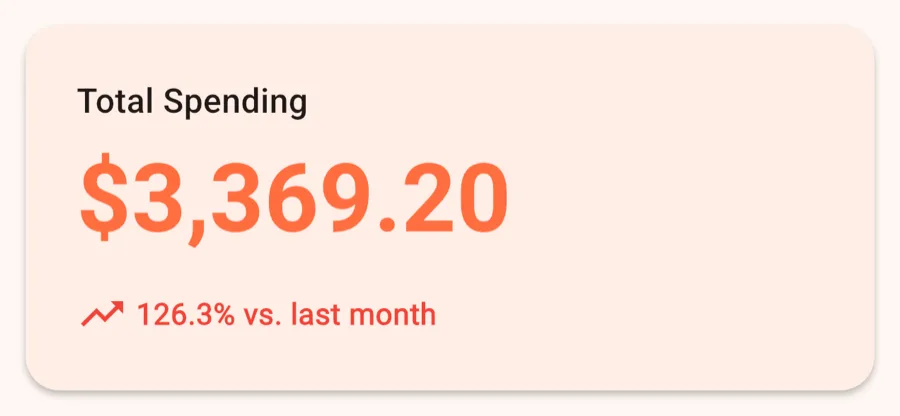
Everything you spent on ammo in the selected period, with the trend compared with the previous month.
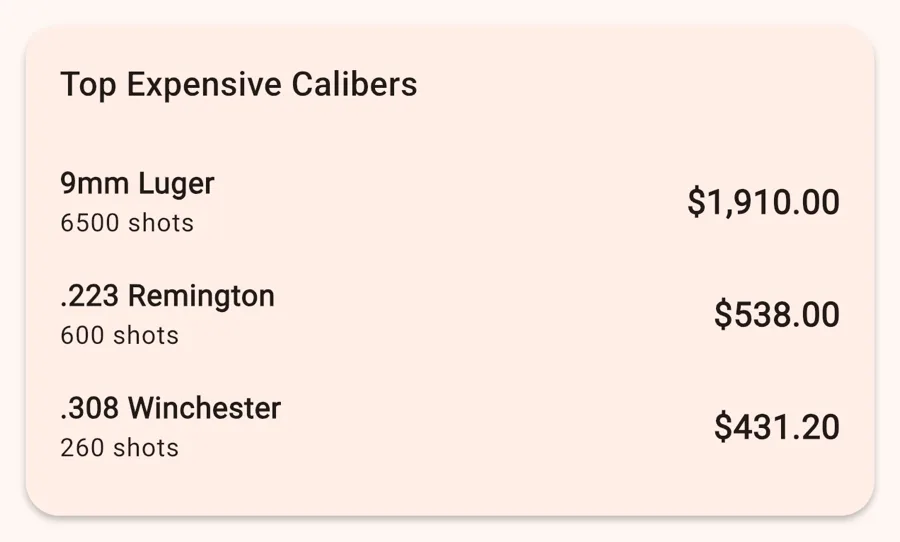
The three calibers you've spent the most on.
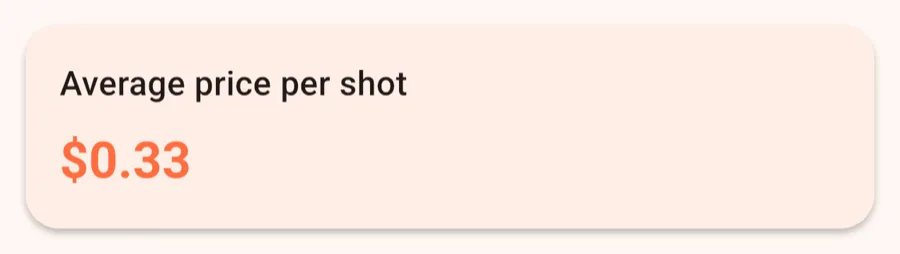
Your total spending divided by all rounds you've bought.
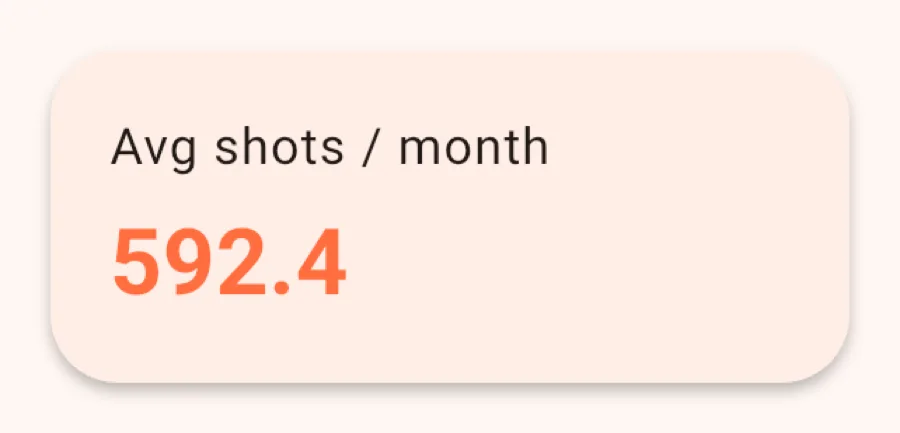
How many rounds you use per month on average, based on the last 12 weeks.
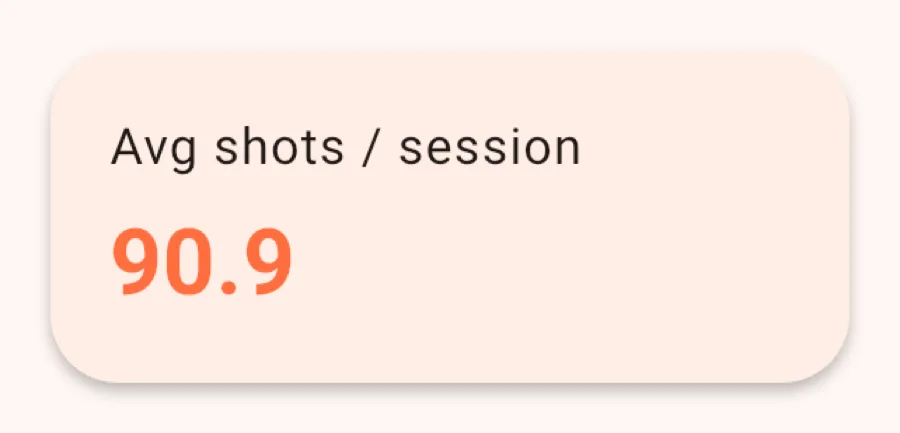
How many rounds you fire per session on average.
How many weeks each caliber will last. Until you've logged enough consumption, it says “Not enough data yet”.
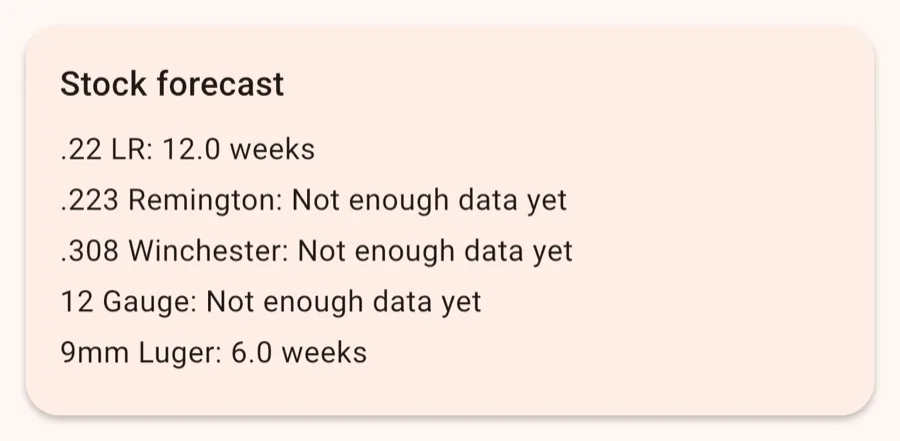
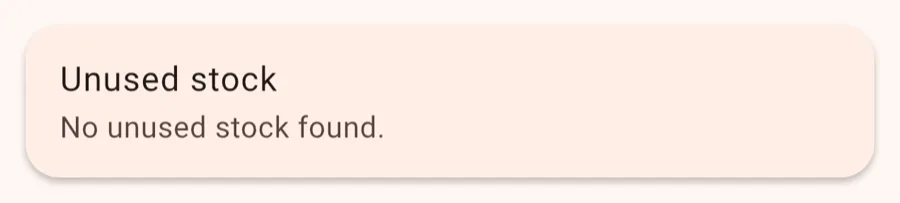
Calibers you have in stock but haven't bought or used for X months. You choose X in Settings.
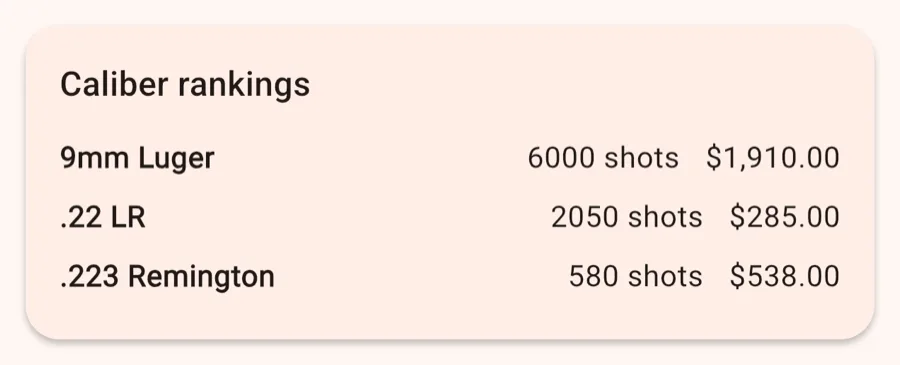
For each caliber: how much you spent, how much you bought and how much you used.
Patterns in your consumption and costs that the app picks up on its own.
Your year on one card: spending, consumption, top caliber and most expensive month. You can pick the year.
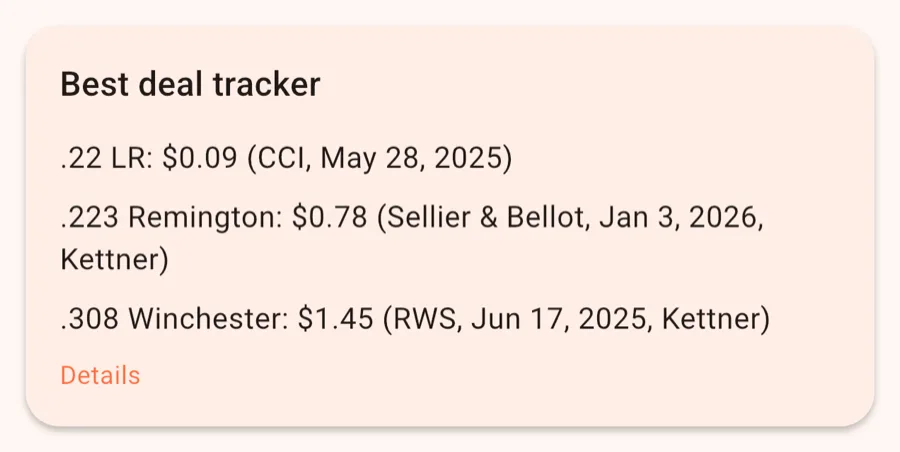
The lowest price per round you've ever paid, for each caliber.
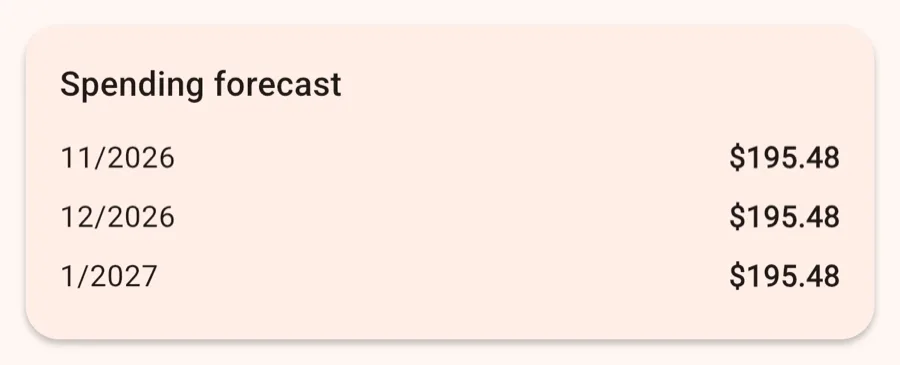
What you can expect to spend over the next 1–3 months, based on how much you've been shooting.
Screenshots show sample data.
The charts show how your spending, prices and consumption change over time.
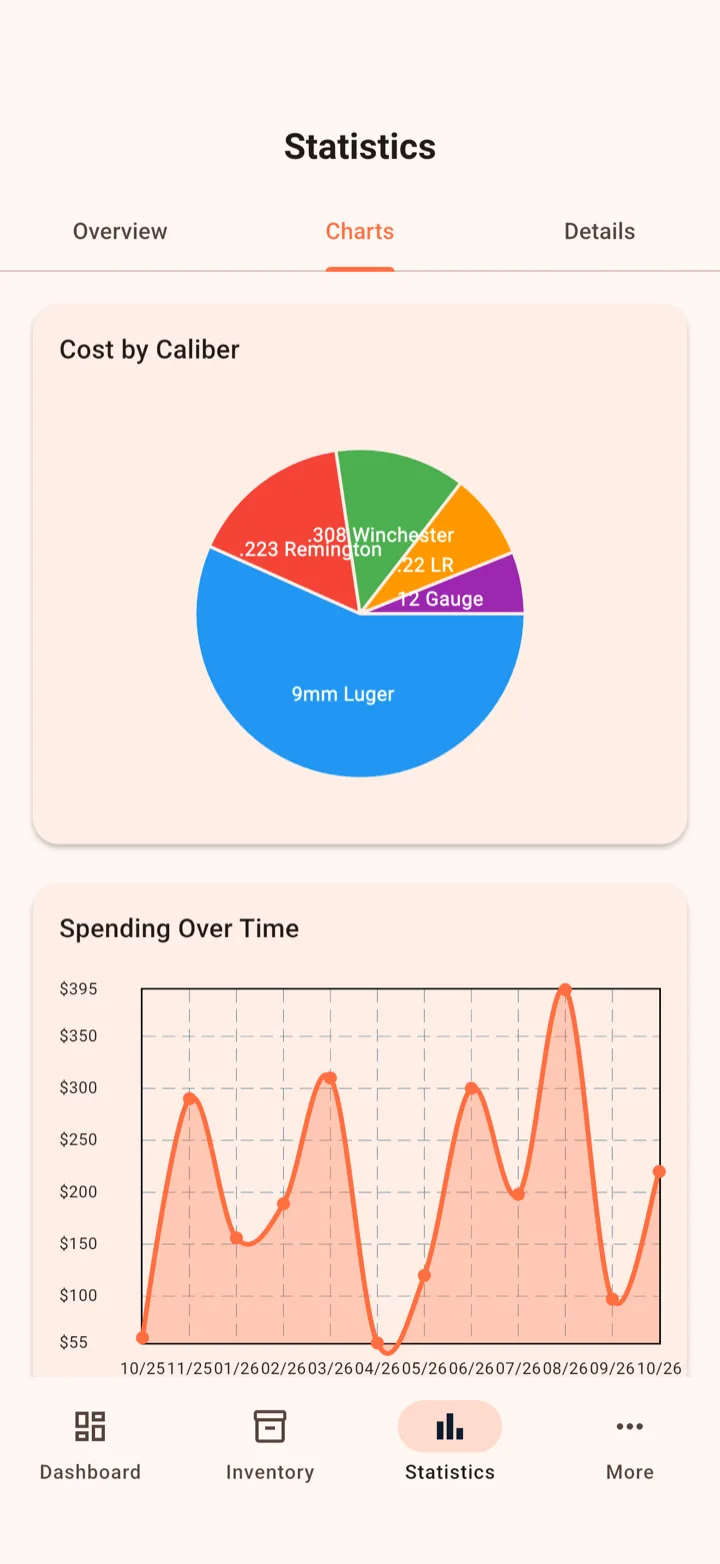
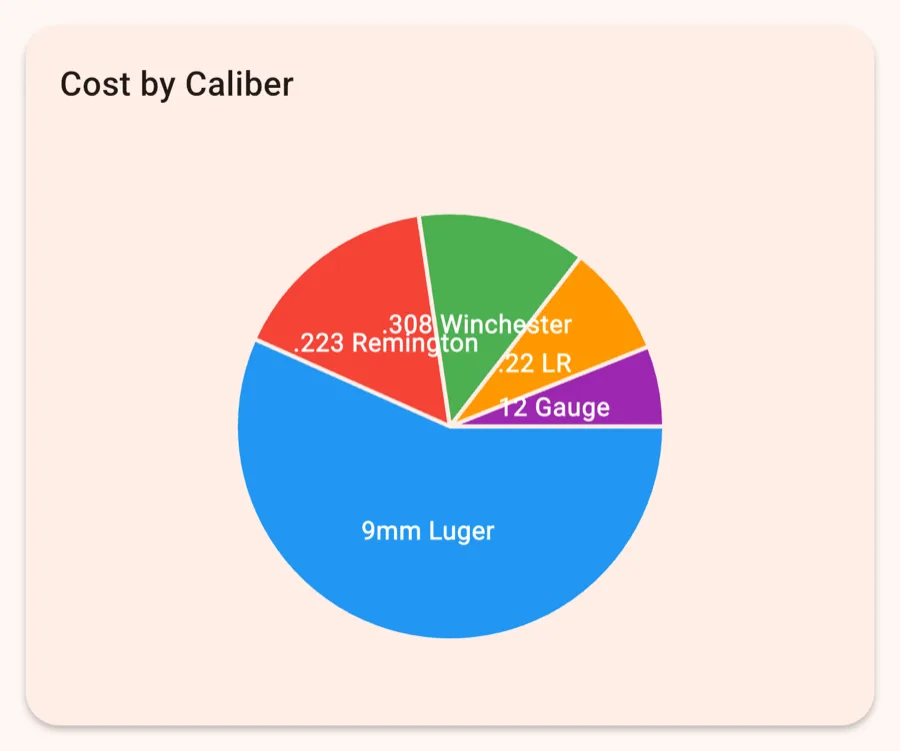
Pie chart: each caliber's share of your total spending.
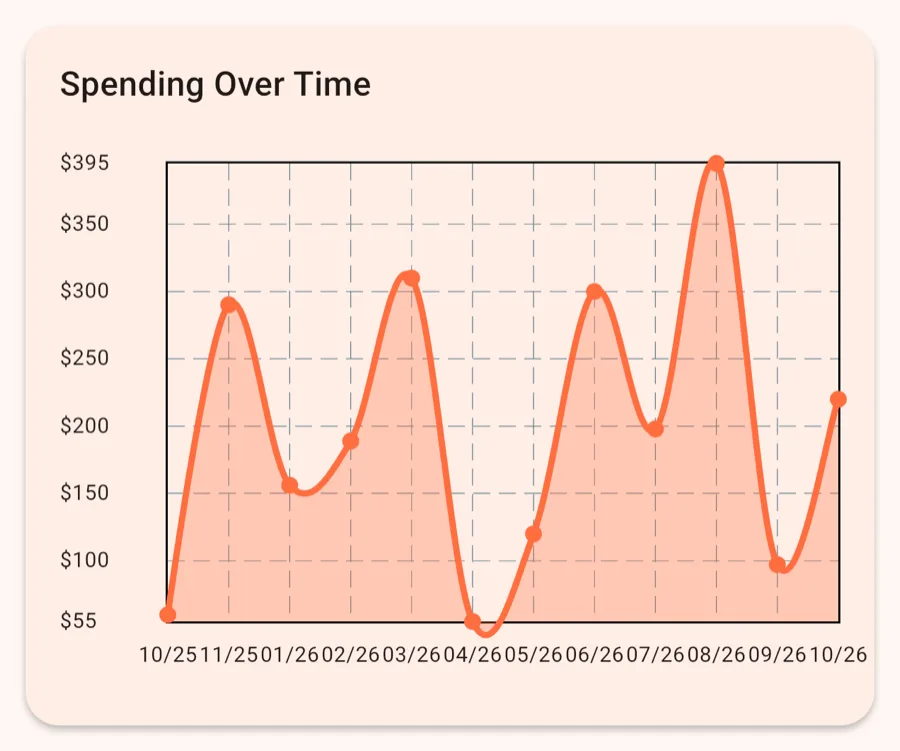
Line chart: what you spent on purchases each month over the last 12 months.
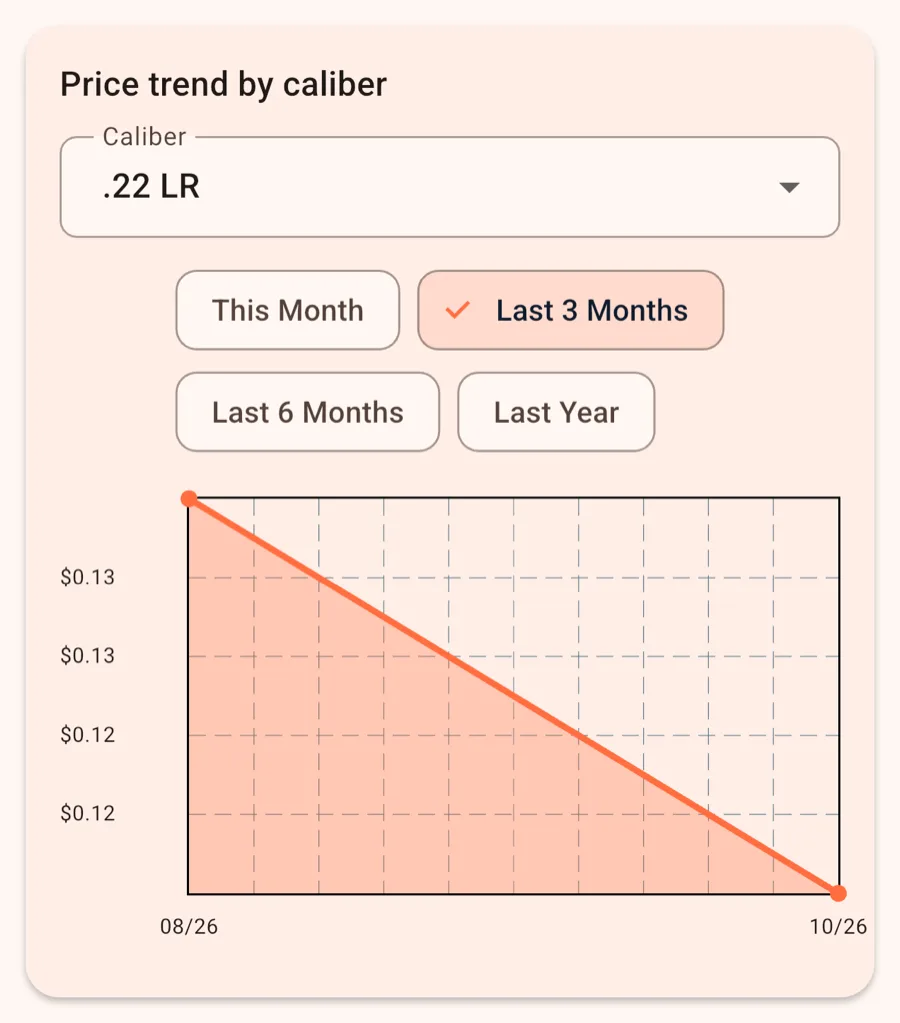
Average price per round per month for a caliber you choose. Shows whether that ammo is getting more expensive.
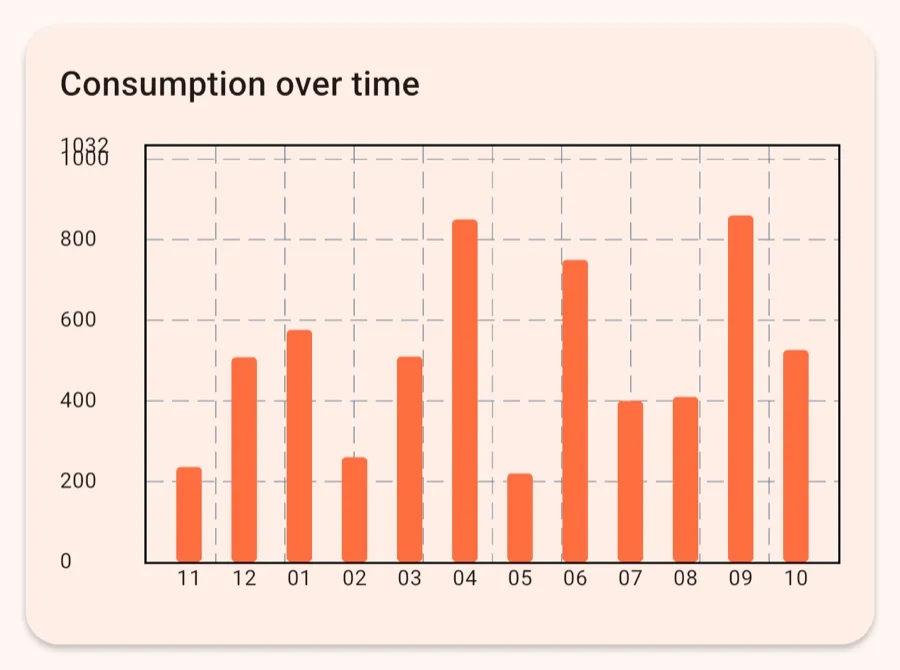
Bar chart: rounds fired per month.
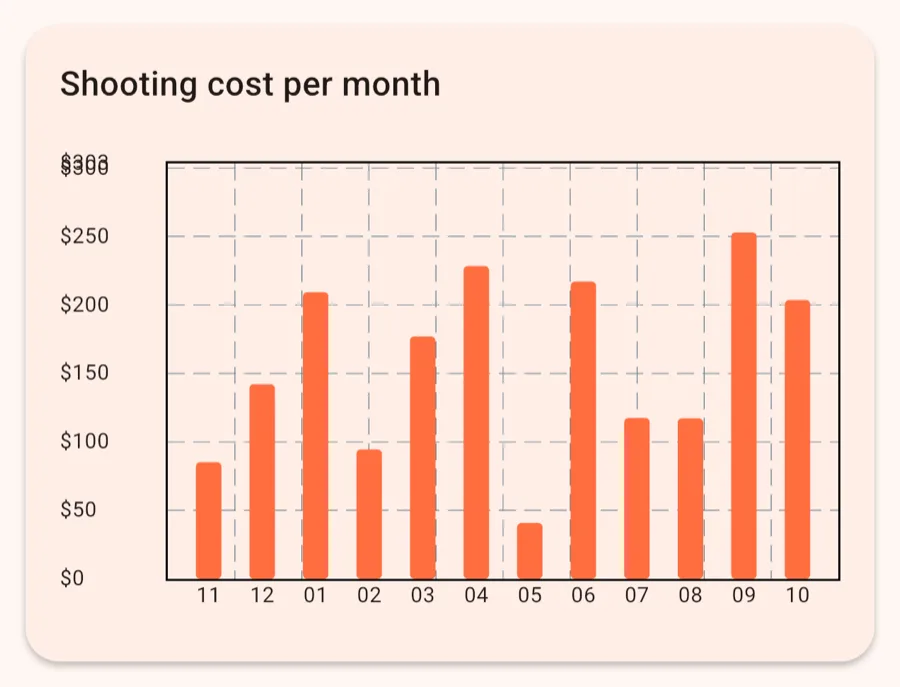
What the ammo you fired each month cost: rounds × that caliber's average price per round.
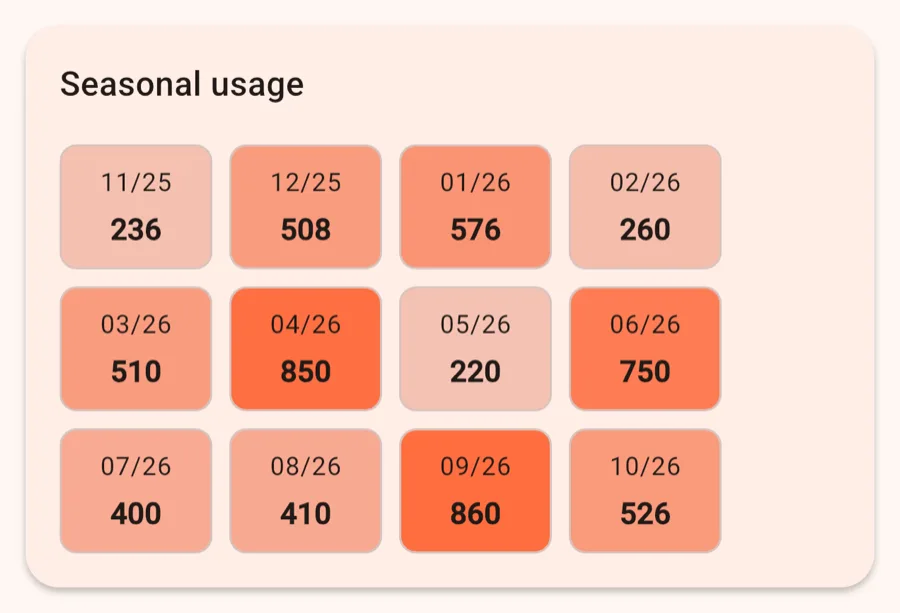
A heatmap of your consumption per month. The darker a field, the more you shot.
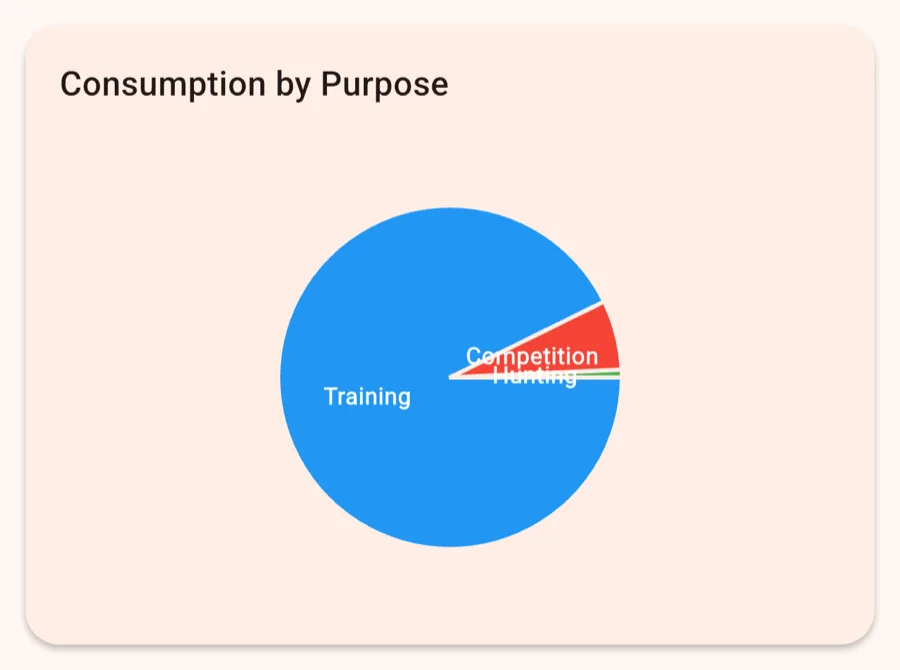
Your consumption split by purpose: training, competition, hunting and so on.
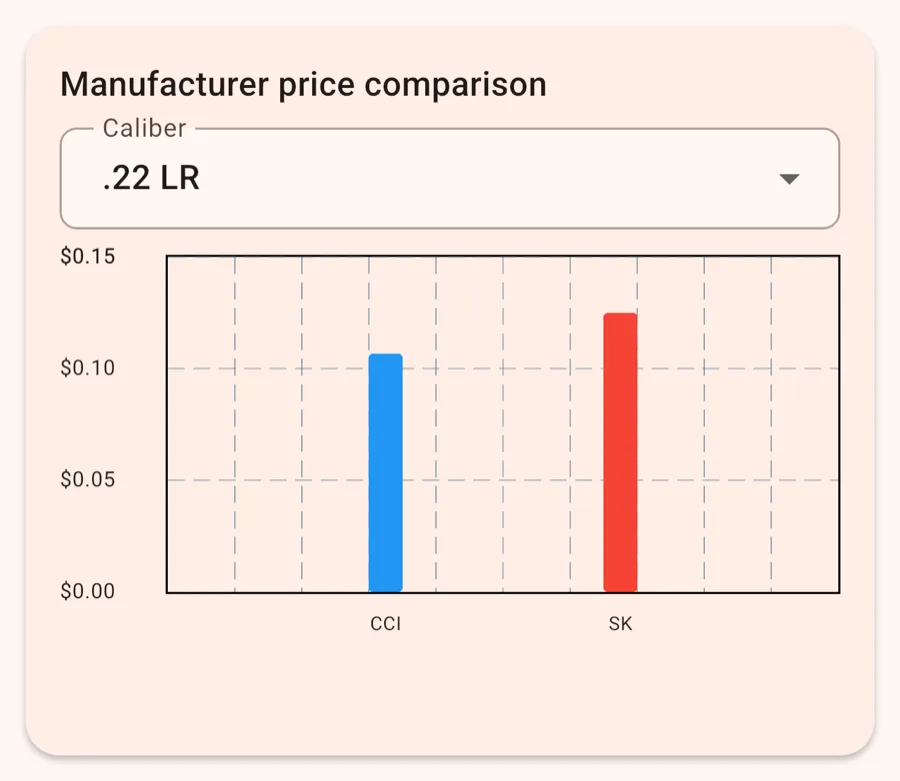
Average price per round for each manufacturer, in a caliber you choose.
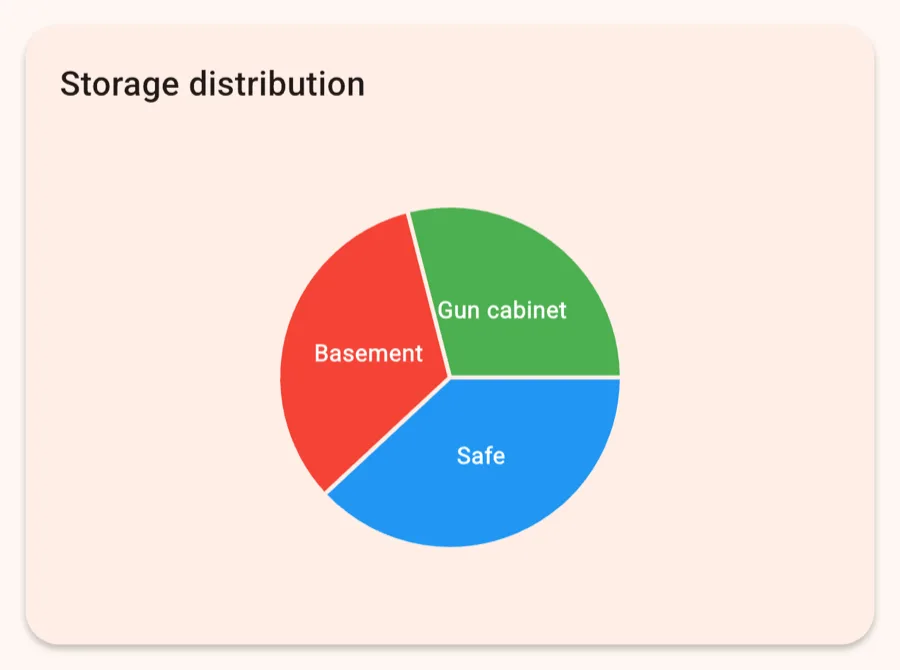
How much ammo sits in each storage location, by quantity and by value.
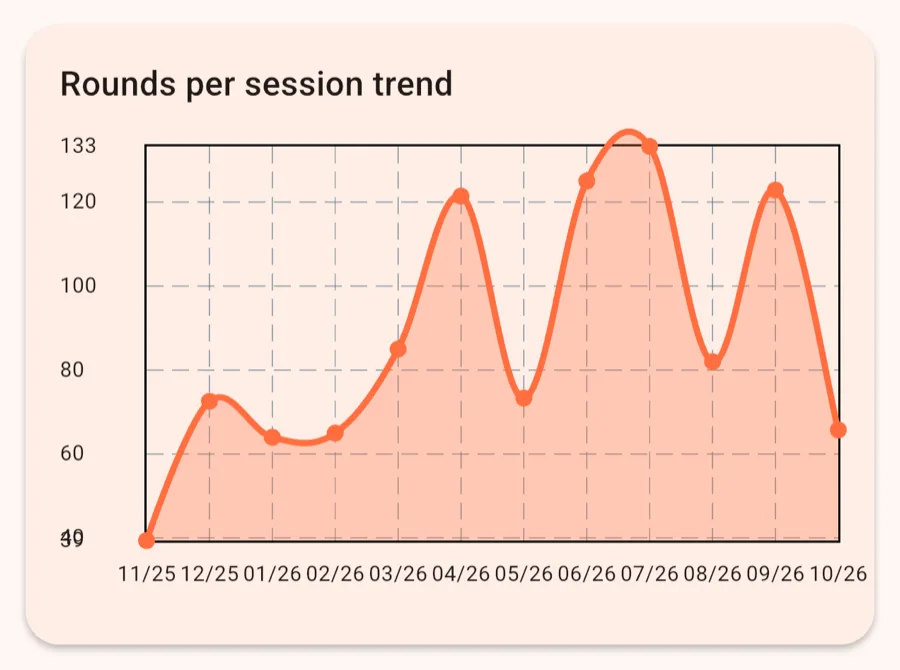
How your average rounds per session change from month to month.
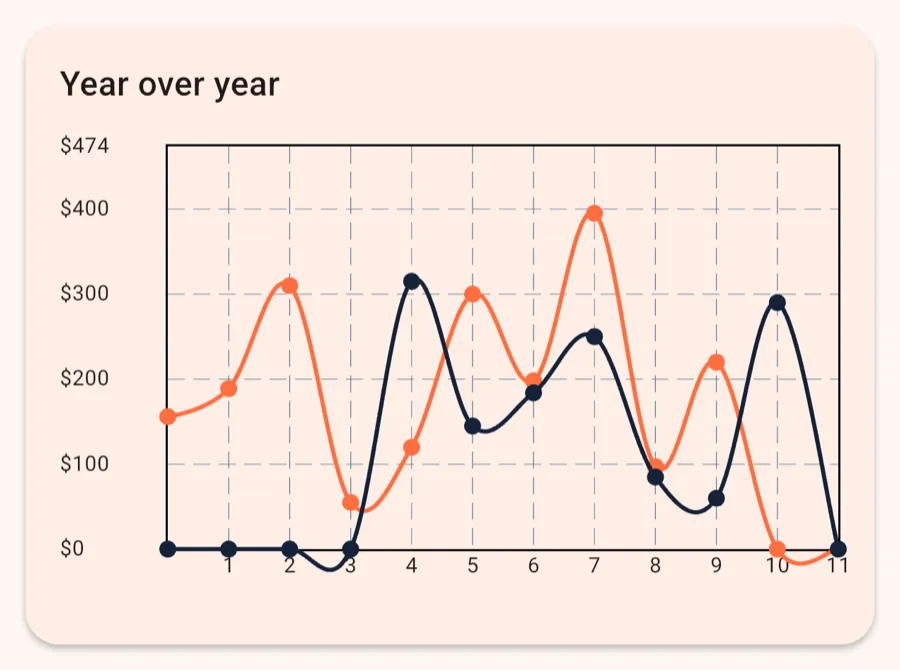
Monthly spending this year next to last year.
Screenshots show sample data.
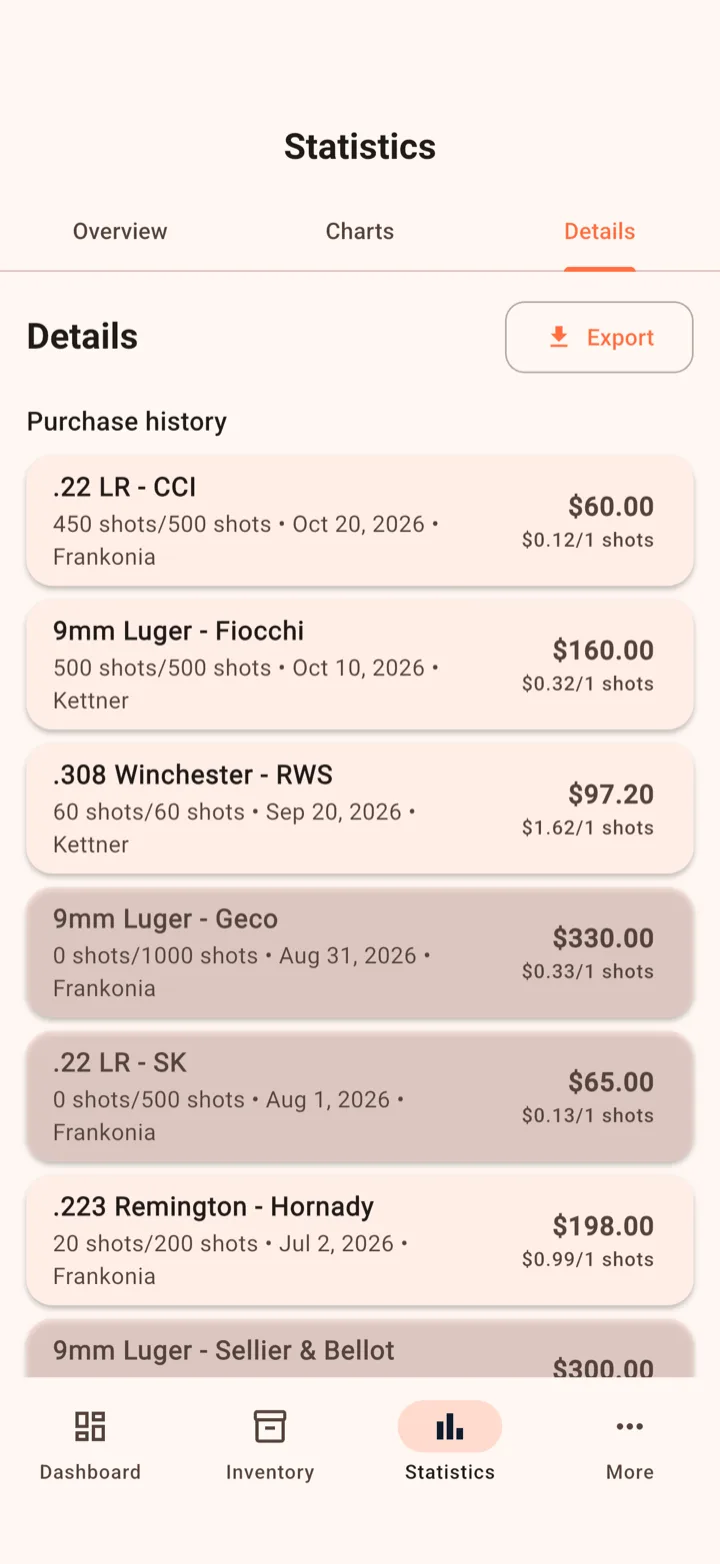
Details holds the full lists behind the numbers.
Every purchase with price per round, retailer and date.
Export your data as CSV or PDF from the Export menu. The CSV uses the same format as the import, so you can read it back in later.
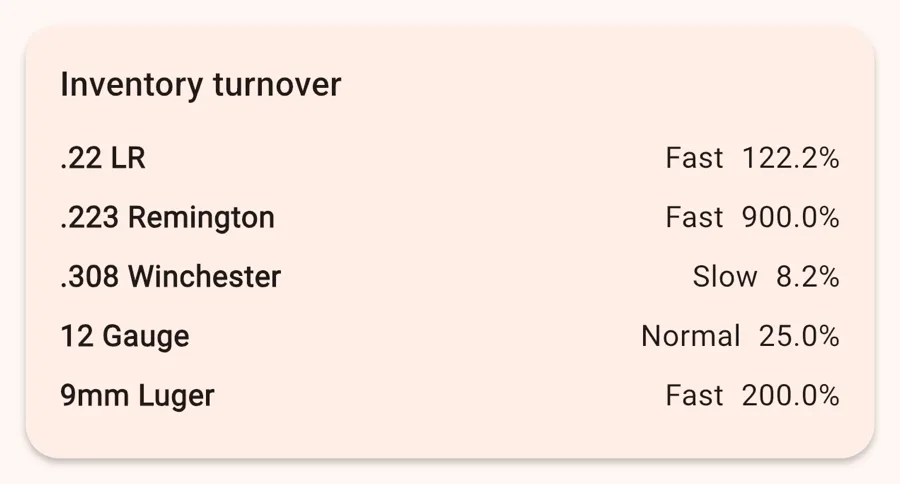
For each caliber: consumption over the last 90 days compared with your current stock. Shows what moves fast and what just sits there.
All entries with an expiration date, sorted by date.
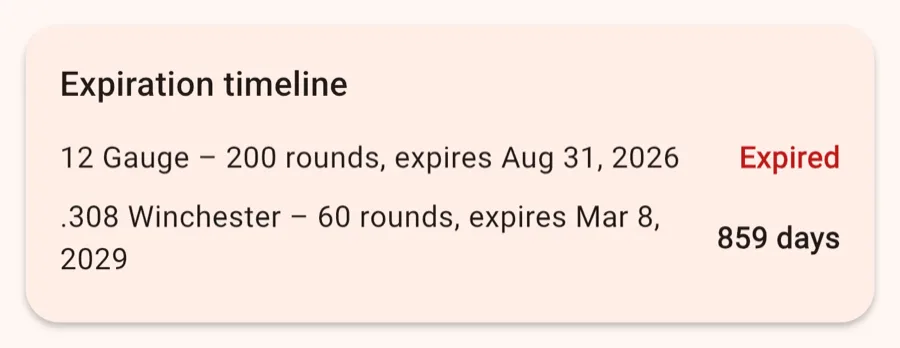
Screenshots show sample data.
The Details tab also shows average price per shot, unused stock, caliber rankings, the annual wrap, best deals and restock recommendations. They work as described above.
Already tracking your ammo in Excel, Numbers or Google Sheets? Bring that list into AmmoKeep instead of typing it all again.
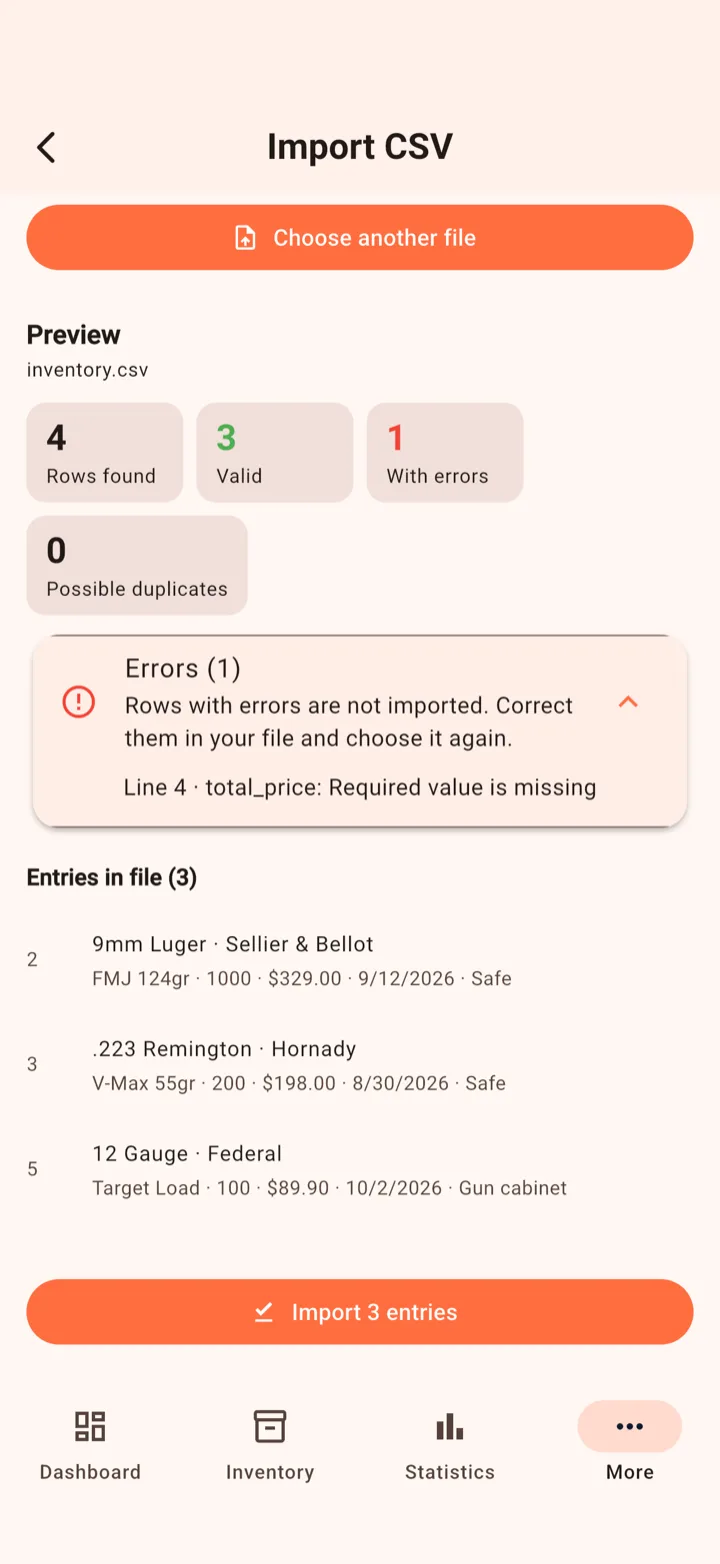
YYYY-MM-DD work best. DD.MM.YYYY works too.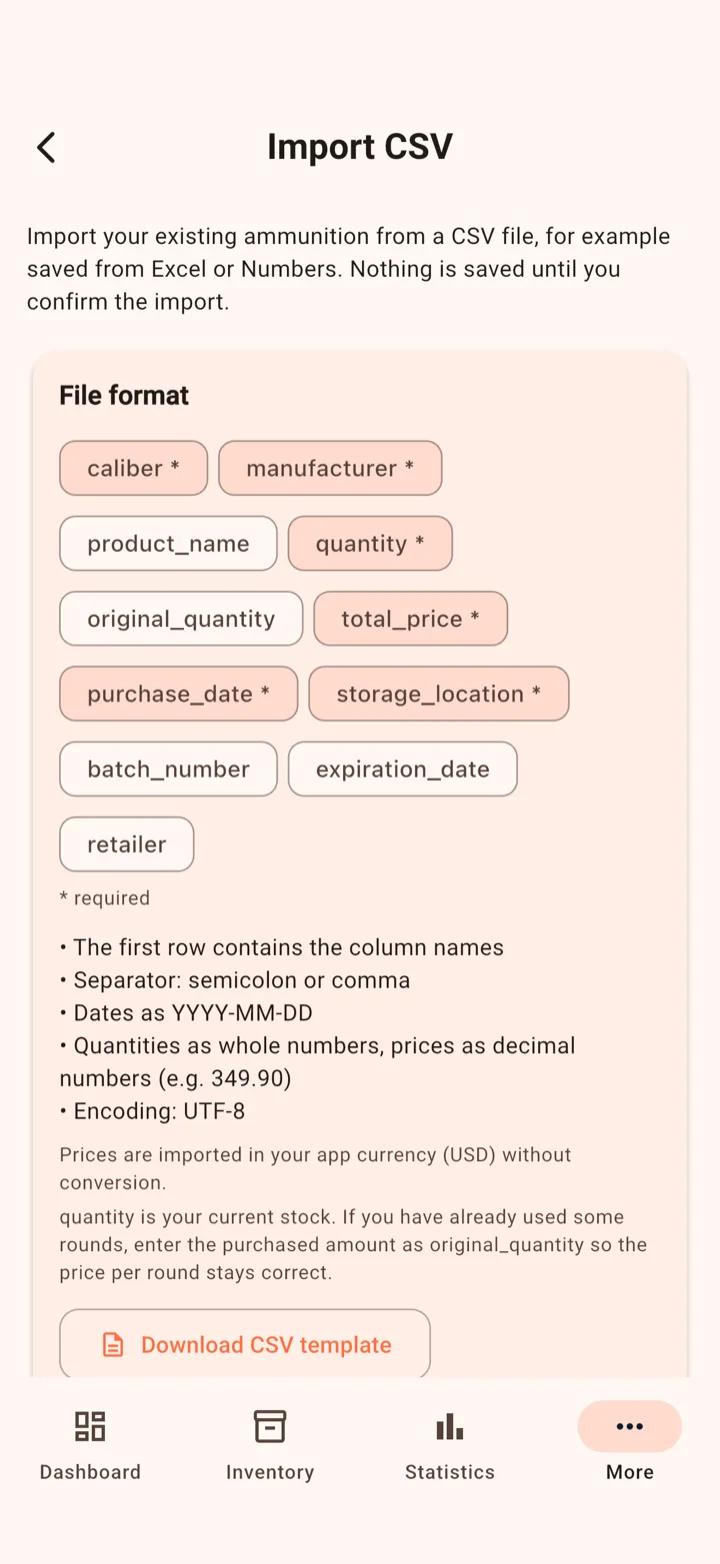
| Column | Required | Content |
|---|---|---|
caliber | Yes | Caliber, e.g. 9mm Luger |
manufacturer | Yes | Manufacturer |
product_name | No | Product name |
quantity | Yes | Current stock, a whole number greater than 0 |
original_quantity | No | Quantity you bought (defaults to quantity). Fill it in if you've already shot some of it, otherwise the price per round will be off. |
total_price | Yes | Total price of the purchase, 0 or more |
purchase_date | Yes | Purchase date |
storage_location | Yes | Storage location |
batch_number | No | Batch number |
expiration_date | No | Expiration date |
retailer | No | Retailer |
caliber,manufacturer,product_name,quantity,total_price,purchase_date,storage_location,retailer
9mm Luger,Sellier & Bellot,FMJ 124gr,1000,329.00,2026-09-12,Safe,Midway
.223 Remington,Hornady,V-Max 55gr,200,198.00,2026-08-30,Safe,Brownells
The matching import template is only available in the app: Settings → Import CSV → Download CSV template.
Your data lives only on your device. A backup saves it as a file in a place you choose, so you're covered when you switch phones, reinstall the app or lose your device. There's no account and no AmmoKeep server. The file is never sent to us.
Not included: your Pro purchase. You restore it through the App Store or Google Play.
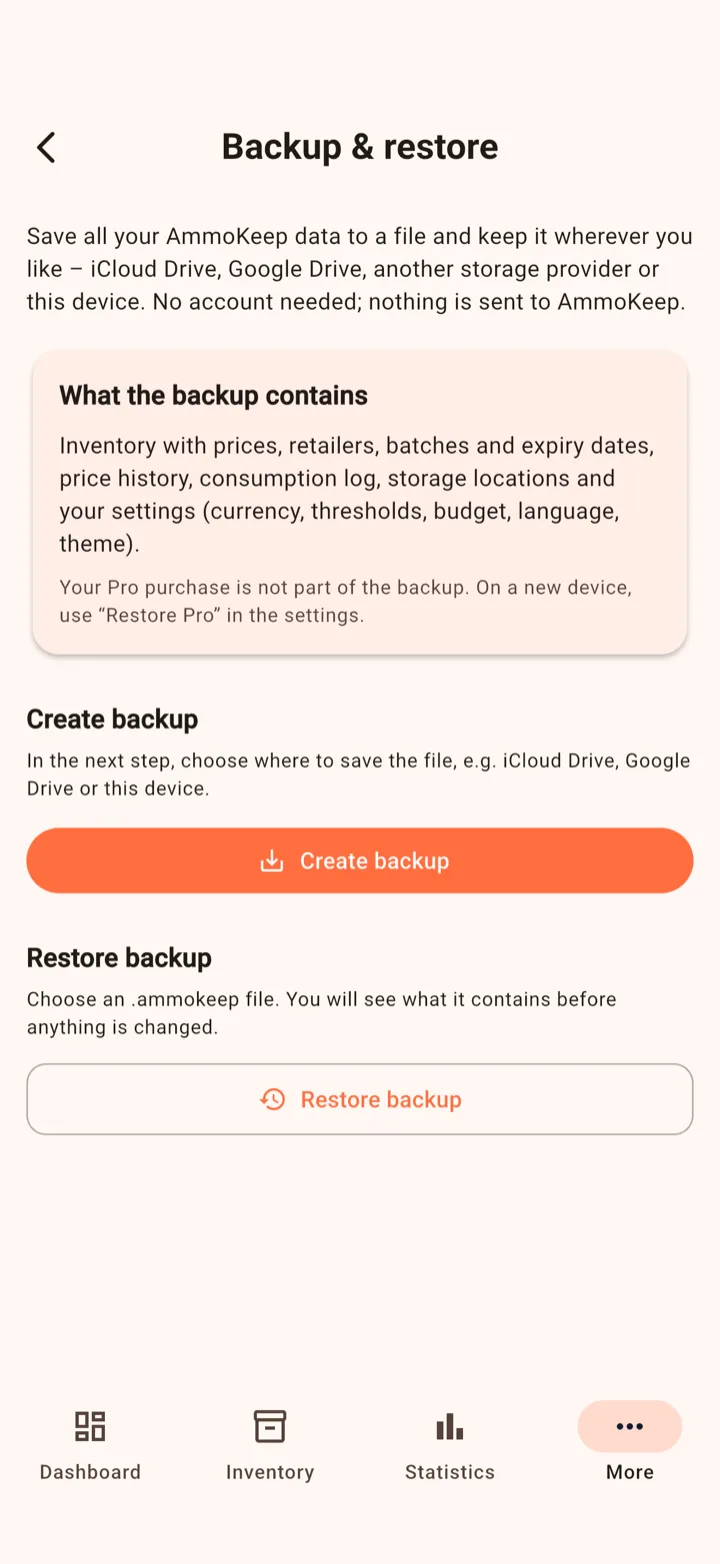
AmmoKeep_Backup_YYYY-MM-DD_HH-mm.ammokeep.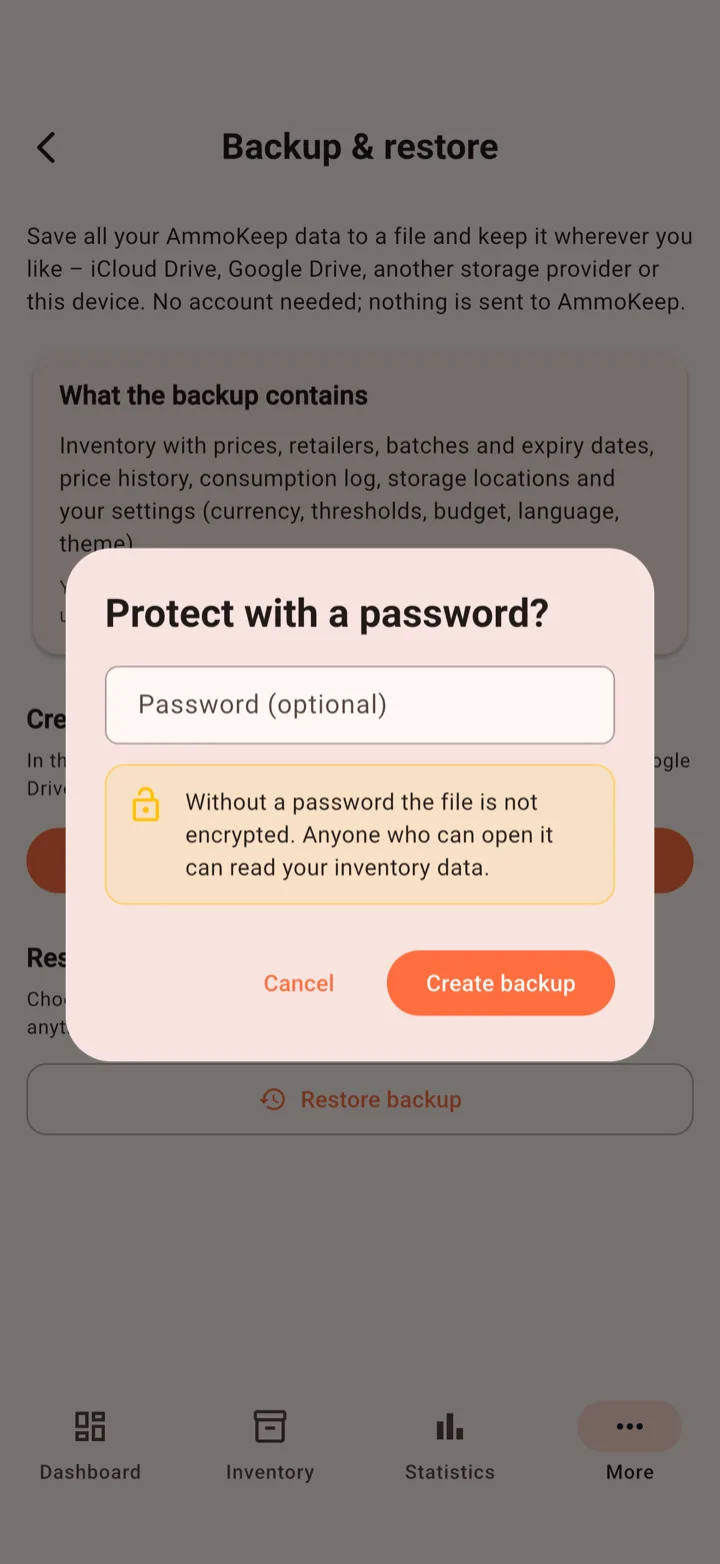
.ammokeep file.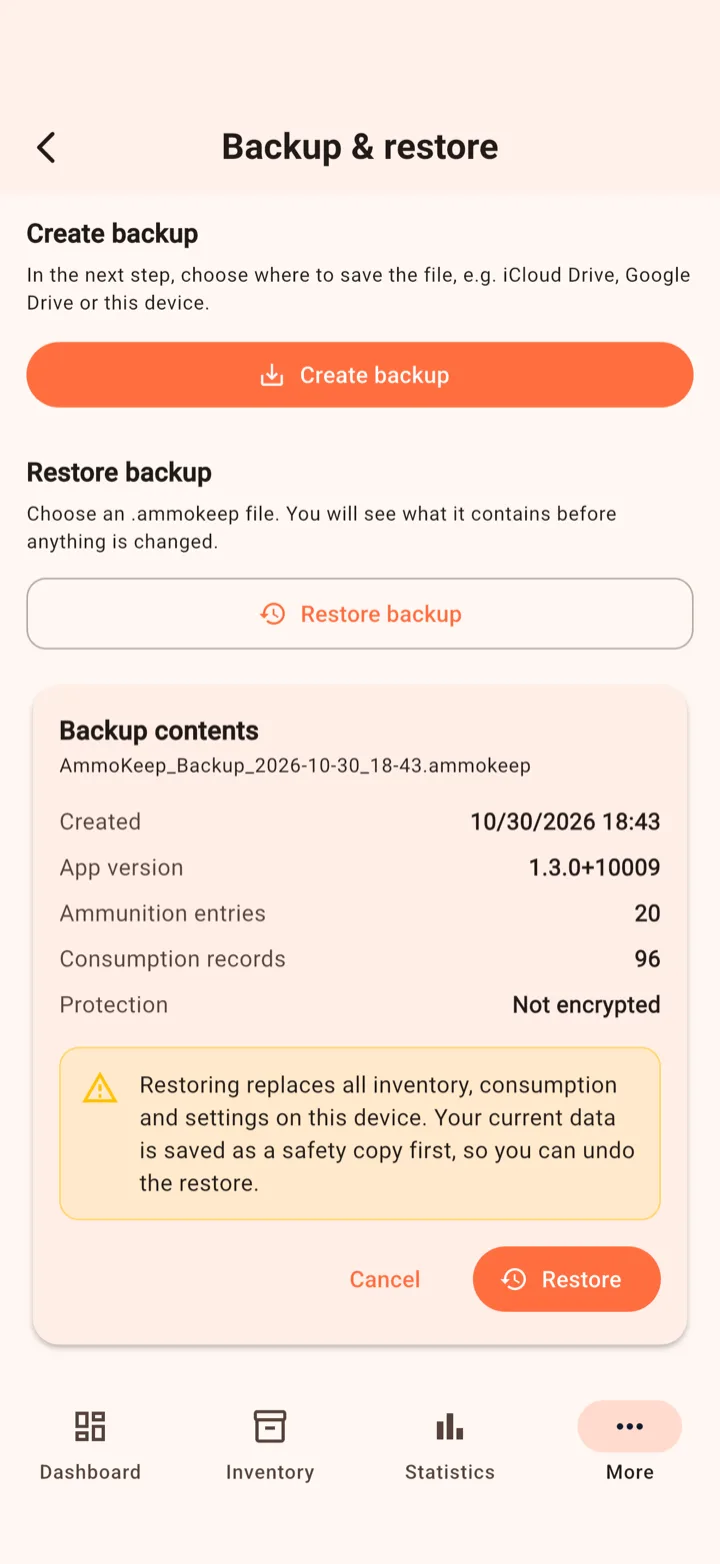
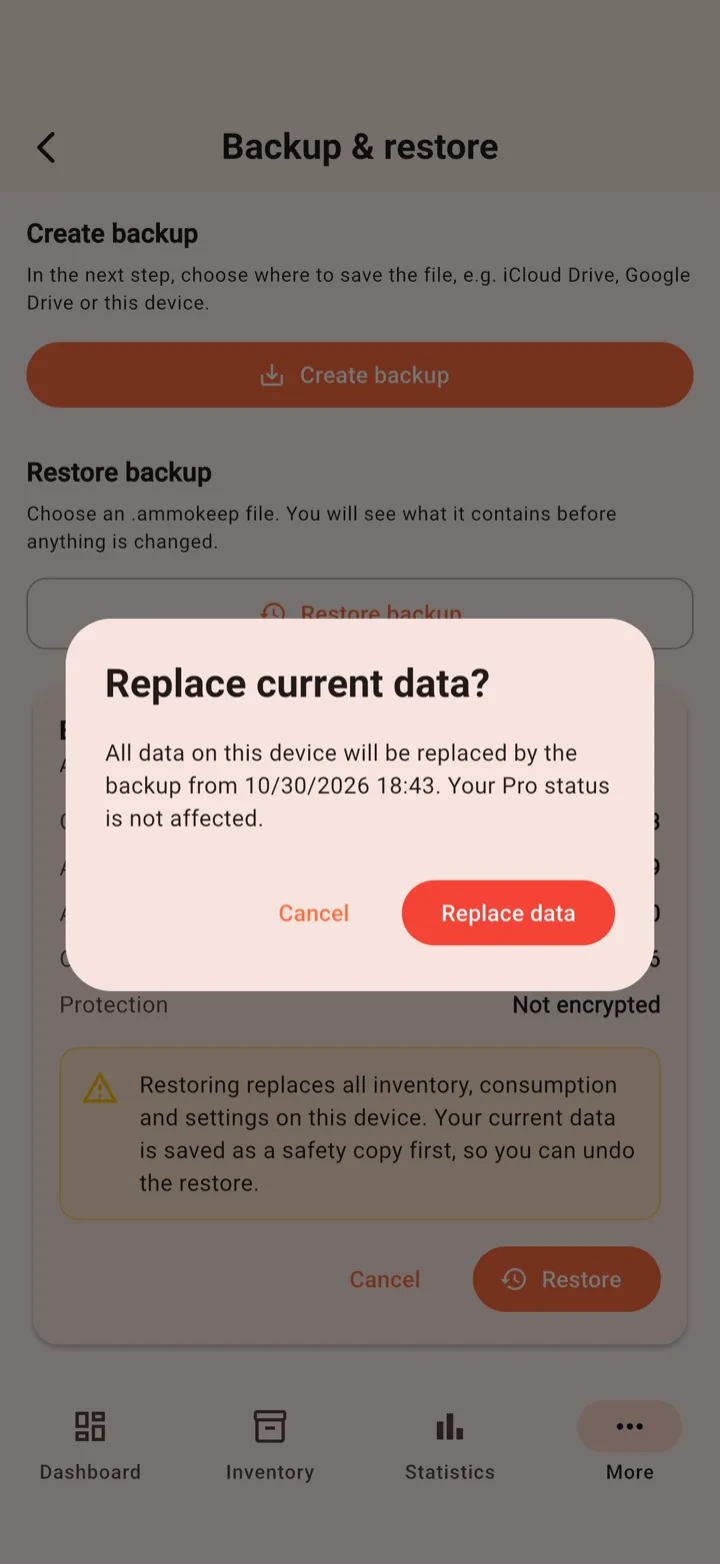
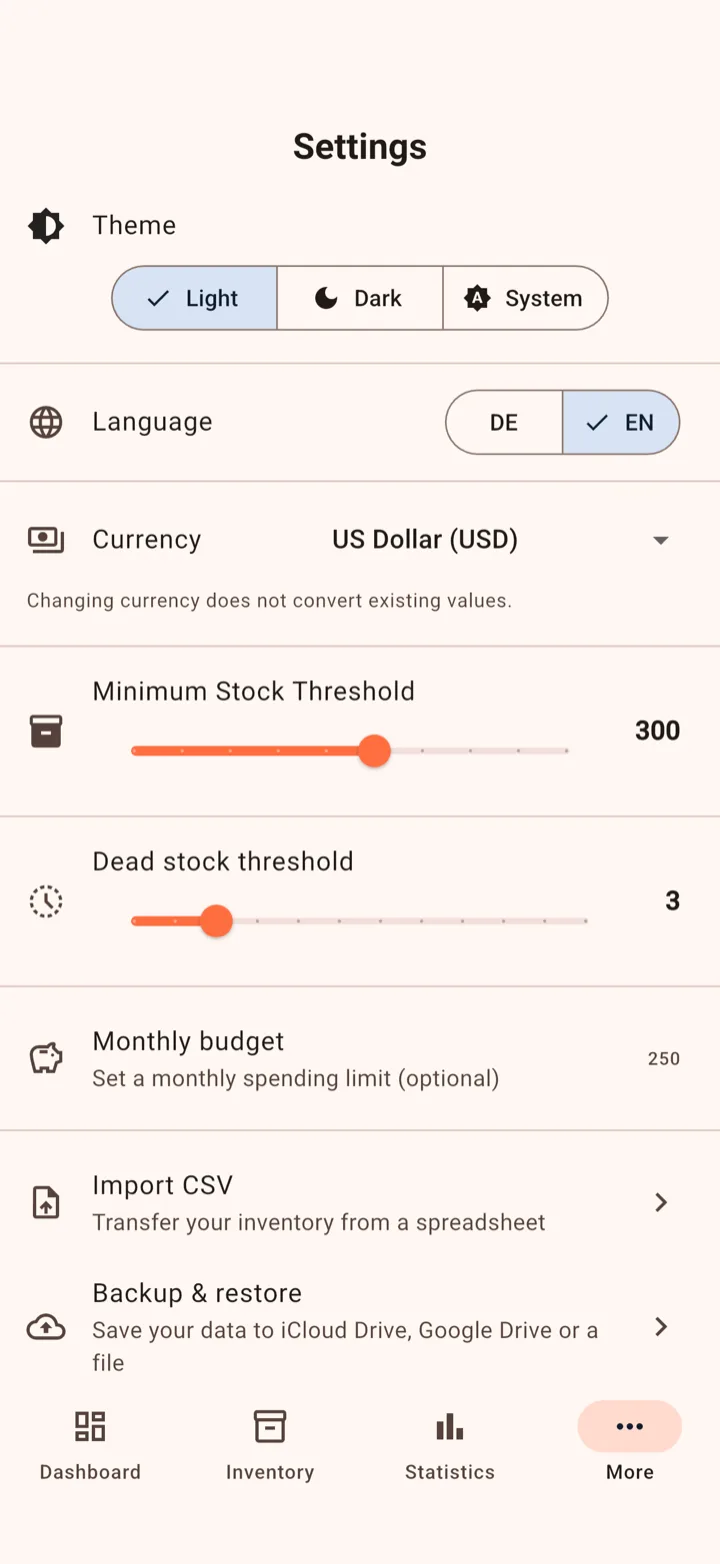
You'll find the settings under More in the bottom bar.
Free is enough for a small stock. Pro is a one-time purchase with lifetime access. There's no subscription.
| Feature | Free | Pro |
|---|---|---|
| Entries / calibers | up to 50 / up to 5 | unlimited |
| Inventory, consumption, dashboard basics | Included | Included |
| CSV import | Yes, within the limits | Included |
| Statistics: Total Spending, Top Expensive Calibers, Cost by Caliber, Spending Over Time, purchase history | Included | Included |
| All other statistics and charts | Not included | Included |
| Monthly budget, stock forecast, restock recommendations | Not included | Included |
| CSV and PDF export | Not included | Included |
| Backup & restore | Not included | Included |
| Price | free | one-time purchase, no subscription |
Want the full picture? Here's what AmmoKeep Pro includes.
Only on your device. There's no account and no server.
Create a backup on your old phone and save it somewhere the new phone can reach, e.g. iCloud Drive or Google Drive. On the new phone, tap Restore Pro in Settings first, then restore the backup.
Yes. The .ammokeep file works on both platforms. It just has to be reachable on the other device, e.g. via Google Drive, email or AirDrop.
Then that backup can't be opened. Create a new backup, with a new password or without one.
No. You restore it through the App Store or Google Play: tap Restore Pro in Settings.
No. The data on your device is replaced by the backup. If you need your previous data back, tap Undo last restore.
Save it as CSV (UTF-8), check that all required columns are there and ideally start from the template in the app. The preview lists every faulty row with the reason.
The forecast needs regular consumption entries for that caliber over the last 12 weeks. Keep logging your sessions and it fills in.
Yes. With Pro you can export CSV or PDF (Statistics → Details → Export) or save everything as a backup.
Stuck or found a bug? Get help through the app settings or email us at info@ammokeep.com.
How we handle data is explained in our privacy policy.
AmmoKeep — built by shooters, for shooters.